Product
One workspace. One flow. One experience.
AuditFlow carries an audit through ten connected stages — the same record, start to finish. Nothing gets re-typed or re-attached along the way.
- 1Audit
An engagement is scoped, planned, and assigned — one record for the whole lifecycle.
- 2Evidence
Evidence is uploaded once to the Evidence Vault, versioned, and linked to what it supports.
- 3Findings
Field notes become fully structured findings — criteria, condition, cause, risk, recommendation.
- 4Review
A maker-checker workflow gates every finding and report before it can publish.
- 5Reporting
Findings become a polished, executive-ready Word/PDF report — without rebuilding from scratch.
- 6Publication
The published report lives in a searchable, filterable archive for governance and audit trail.
- 7Management Response
Process owners respond in place — timestamped, attached to the same record.
- 8Remediation
Every finding becomes a tracked action: owner, target date, status, evidence.
- 9Follow-Up
Reminders, evidence requests, and due-date extensions — without leaving the finding.
- 10Closure
An approved audit, a published report, and remediation already tracked — not a separate project.
Closure means an approved audit, a published report, and remediation already being tracked — not a separate project that starts after fieldwork ends.
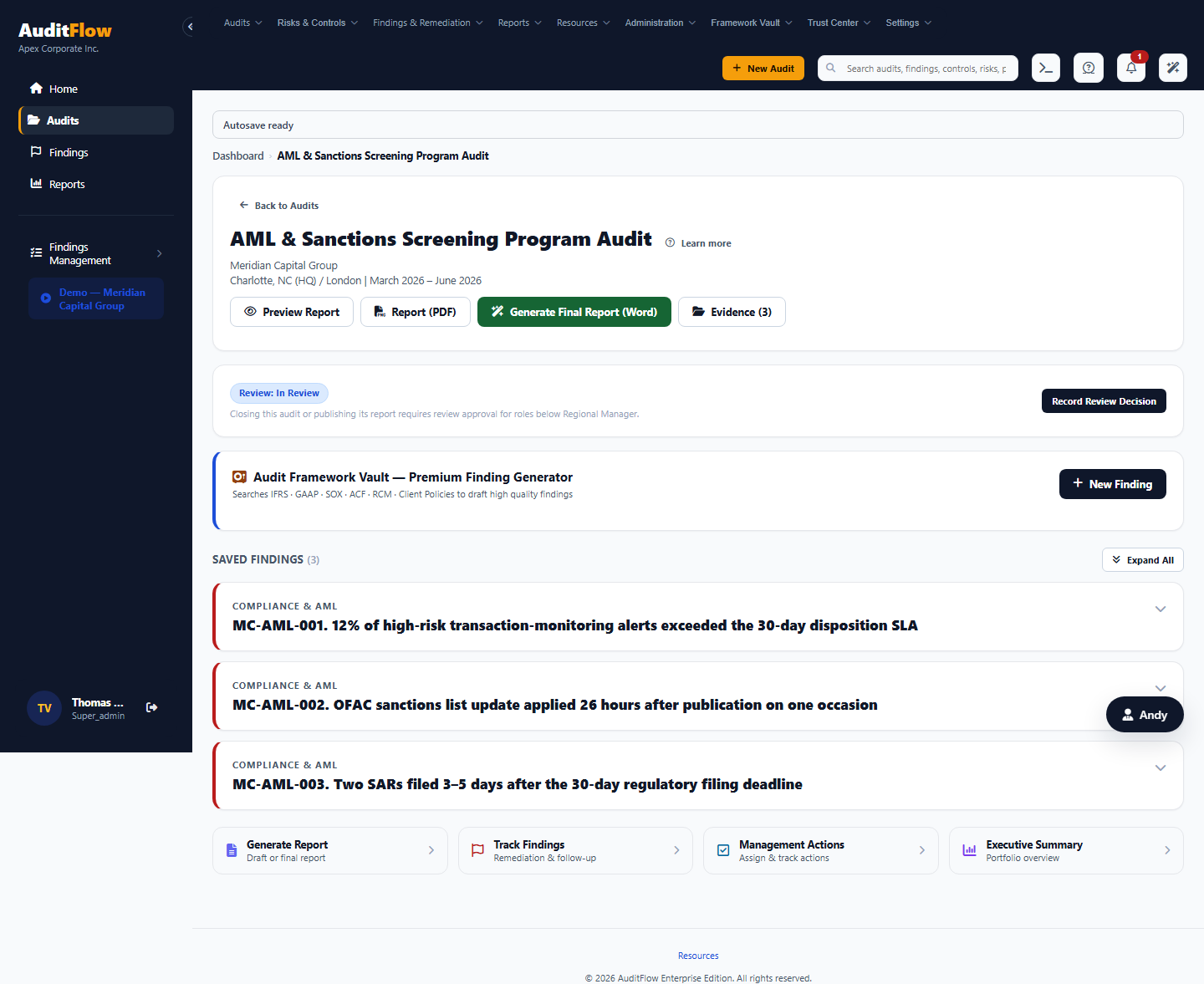
Audit Workspace
One record for the whole engagement.
Scope, status, saved findings, and every report action live on the same audit record — not scattered across separate tools or tabs.
Finding to Resolution
Audit work doesn't stop when the report ships.
A finding is the start of a tracked chain, not the end of the audit.
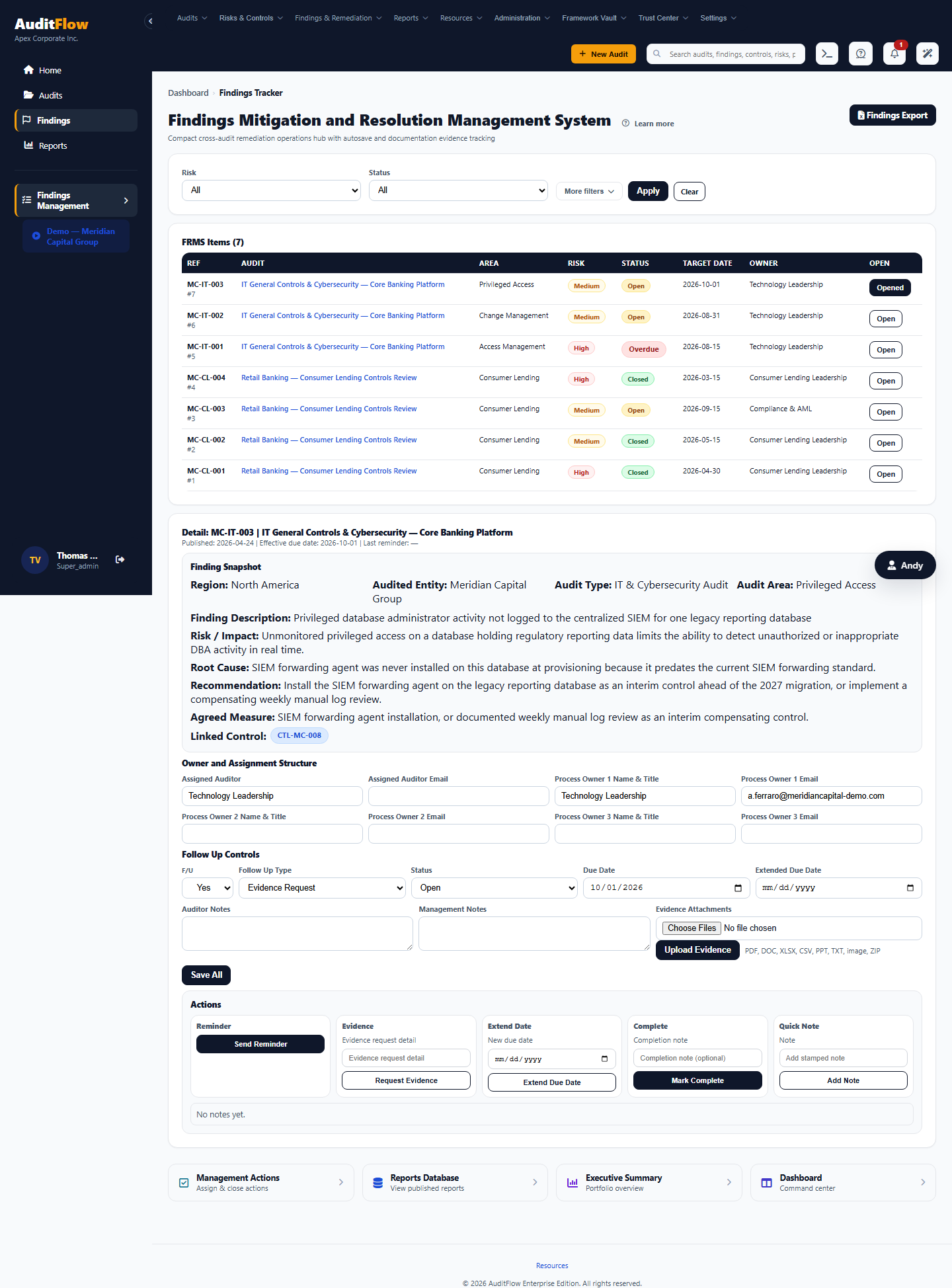
Finding
A finding is written once — Criteria, Condition, Cause, Risk, Recommendation — grounded in your own uploaded standards.
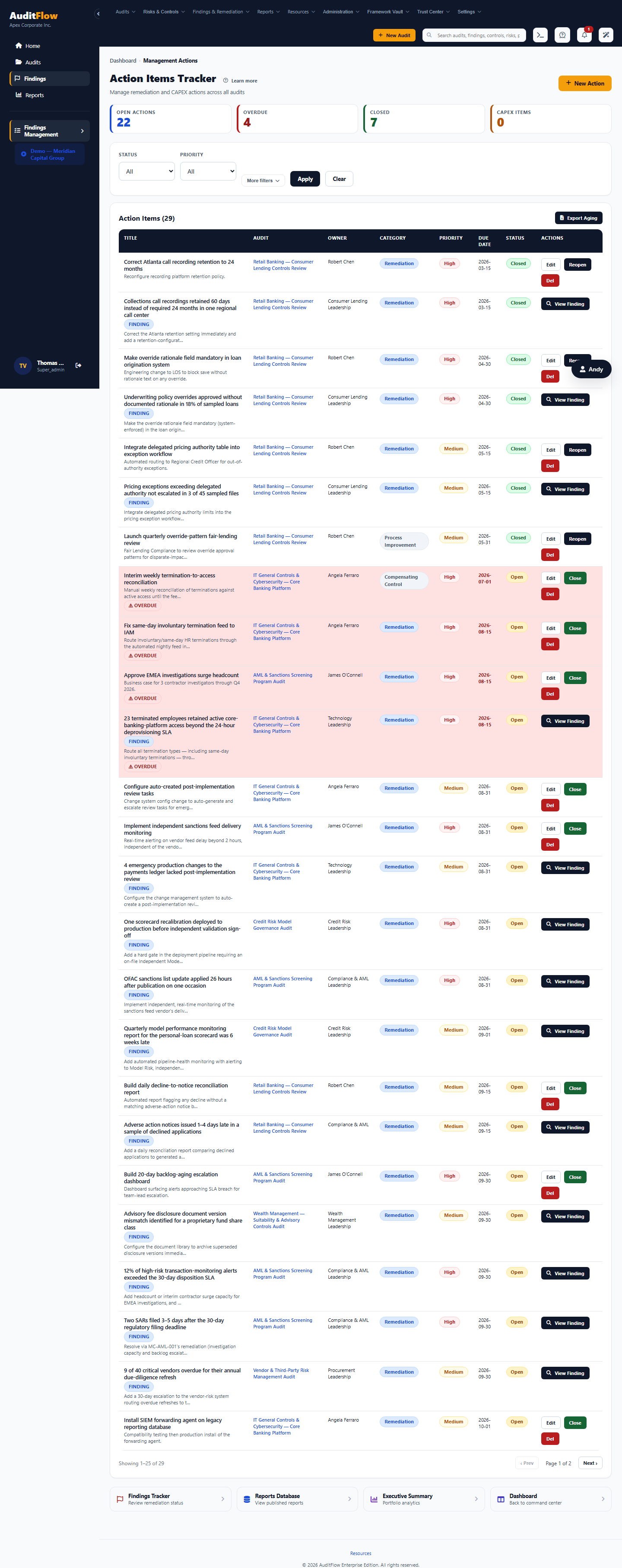
Management Action
On approval, the finding becomes a tracked FRMS item: owner, target date, status, evidence — one record, not a new spreadsheet.
Remediation
Process owners respond, attach evidence, and get reminders in place. Every response is timestamped — nothing gets lost after the report ships.
Resolution
Closure means an approved audit, a published report, and remediation already tracked — not a separate finish line.
Executive Visibility
One dashboard, the whole portfolio.
Filter by site, region, risk level, department, owner, or date — the same portfolio view scoped however leadership needs it.
3
Critical
11
High
22
Medium
Portfolio Trend — Open Findings
KPI Pack, one click
Board Pack, one click
Reporting — the Differentiator
Written from the audit, not a blank page.
Every report opens with distribution, risk rating, and assessment set automatically from the audit record. The summary narrative is drafted from the audit's own scope and findings, then AI-polished for tone before publishing — signed by the engagement lead and Chief Audit Executive.
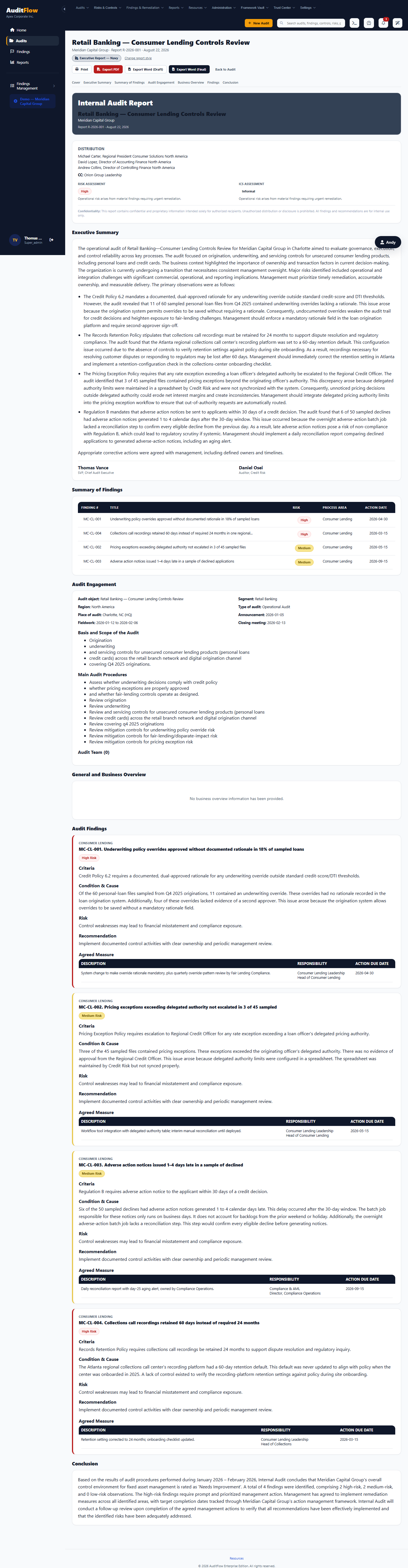
Word & PDF, from one document
A searchable archive
Excel export, portfolio-wide
Walk through the workflow yourself.
A guided, self-paced tour of AuditFlow using synthetic audit data.